


[Part 1 here: AI for HR People Who Don't Want to Sound Dumb in Meetings.]
Last week, I gave you the vocabulary. RAG. MCP. Agents. The decoder ring for every vendor pitch and analyst article your CHRO will forward you at the moment.
But I also made you a promise: I'd show you what this actually looks like on the ground.
I spend a lot of time preaching about agentic governance and the risks of letting AI loose in your HRIS. But I also use these tools every single day. They're not optional anymore. They're how I survive.
So here it is. The truth about how I actually use AI at work. No vendor hype. No magic wands. Just the plumbing.
tl;dr:
I use AI every day, but I don't let it touch my Workday tenant. It's a digital intern — fast, tireless, occasionally confidently wrong. Three use cases that save me ~15 hours a week:
The Translator: Drop dense Workday docs into an LLM with a specific prompt, get clean user instructions back in 15 seconds instead of 45 minutes.
The Synthesizer: Feed scrubbed UAT feedback into AI, get the actual root causes instead of spending two days manually tagging a spreadsheet.
The Wrench: Use AI as a pair-programmer for calc fields and XSLT — but make it explain its work so you can maintain it later.
The rule: You are the Architect. The AI is the intern. Never forward the intern's first draft to the CHRO. Never paste its code into production without sandbox testing.
The Confession
Let's get this out of the way.
Right now, I do not let an autonomous AI push data into my Workday production tenant. The risk of corrupting foundational data is too high. Full stop. (That’s not to say this is a forever thing. But until I see things like ASOR mature, that’s my story and I’m sticking to it.)
So the AI doesn't run the system. It runs me.
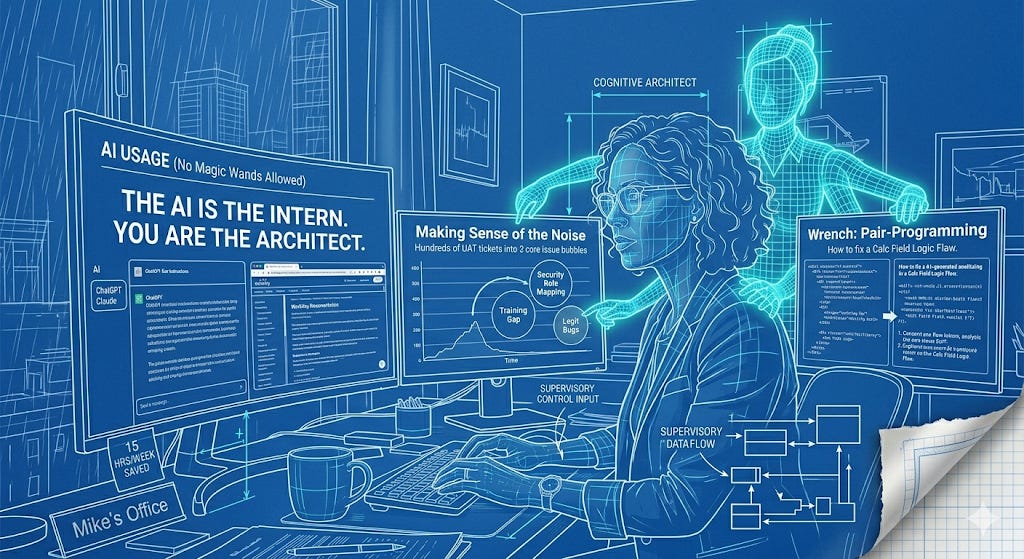
I treat large language models (Claude, ChatGPT, whatever you prefer) as permanently caffeinated digital interns. They don't have the keys to the building. But they sit right next to my desk, and they help me translate, synthesize, and build the architecture that I eventually deploy.
Here are the three ways that intern earns its keep.
The Translator: Drafting User Instructions
If you work in HR Tech, you know that Workday release notes read like stereo instructions written by someone who has never plugged in a stereo.
A store manager doesn't have the patience for a 12-page PDF on absence management business process changes. They need to know what buttons to click so they can get back to their actual job.
The workflow: I take the dense Workday documentation (community, config docs, etc.) and drop it straight into my LLM with a specific prompt:
You are an expert technical writer. Read this Workday configuration document. Translate it into a simple, 3-step instructional flow for a non-technical manager. Use an encouraging, conversational tone. Strip out all system jargon — do not use words like 'Supervisory Org' or 'Condition Rule.' Output the result with bold headers and short bullet points.
What used to take me 45 minutes of staring at a blank screen now takes 15 seconds. The AI does the heavy lifting of translation. I tweak the final copy.
That's it. No magic. Just a really good first draft that I'd never have the energy to write from scratch at 4pm on a Thursday.
The Synthesizer: Making Sense of the Noise
After a major module rollout, the noise is deafening. Hundreds of UAT tickets. Angry emails. Help desk complaints that range from legitimate system bugs to "I clicked the wrong button and now I'm panicking."
When you're drowning in a sea of "This screen is broken!" and "I can't see my team!" tickets, stepping back to see the actual pattern is almost impossible.
The workflow: I scrub the feedback data of any PII, export the raw complaint logs to a CSV, and feed it to the AI (in this case, my work Copilot. Don’t use commercial tools for work stuff).
Analyze these 200 user feedback tickets from our recent performance rollout. Categorize them by core issue. Identify the top three root causes of user friction.
Within seconds, the AI cuts through the emotional noise. It tells me: "70% of these tickets aren't system errors — they're managers who don't understand the new security role mapping."
Instantly. A chaotic pile of complaints becomes an actionable punch-list.
That's not replacing my job. That's giving me X-ray vision into a dataset I'd have spent two days manually tagging in a spreadsheet.
The Wrench: Calc Fields and Code I Can't Write Alone
I have expert-level knowledge of Workday architecture. But I'm the first to admit my pure programming chops are light. Sometimes you hit a wall. You need to nest five calculated fields, or untangle a messy XSLT transformation on an inbound integration, and the syntax just isn't clicking.
This is where the AI becomes the ultimate pair-programmer.
The workflow: I don't just ask the AI to write the code. I ask it to teach me.
I am trying to build a nested calculated field in Workday to extract the length of service for employees in a specific supervisory org, but my logic is failing. Provide the correct structure, and explain exactly what you did so I understand the mechanics.
It's having a senior developer sitting over your shoulder who never gets annoyed when you ask "but wait, why?" for the fourth time.
It untangles the spaghetti. Writes the fix. And crucially — helps me understand what it did so I can maintain it later. Because nothing is worse than deploying a calc field you can't explain to the next person who inherits your tenant.
Worth knowing: The workflows above use general-purpose LLMs (Claude, ChatGPT, whatever you prefer.) But if your team needs something purpose-built for Workday, check out Mando. It's a Workday-specific RAG tool with curated content from vendors and ecosystem experts, every answer cites its source, and it gets smarter to your org over time. Great for config questions, troubleshooting, and getting new analysts up to speed fast. (They also published a solid AI 101 piece on the Customer Sharing Movement blog — go read it.) (NOTE: This is a personal advocacy only. I have no arrangement with Mando, I just appreciate their work)
You Are the Architect. The AI Is the Intern.
His Highness, Justin - who is nearly 12 now and requires the formal title - thinks my job consists entirely of "typing."
He isn't entirely wrong.
A massive part of HR tech leadership is translating complex technical realities into language that non-technical people can act on. My digital intern saves me roughly 15 hours a week on brainstorming, drafting, and untangling logic. It lets me punch way above my weight class.
But here's the rule, and it's unbreakable:
You never take the intern's first draft and forward it directly to the CHRO.
You never paste the intern's calculated field into the production tenant without testing it in sandbox first.
Use the AI to build the engine. Let it write the drafts, synthesize the feedback, map the logic. But you are the one who turns the wrench, pays the integration tax, and owns the final result.
The intern is fast. The intern is tireless. The intern is occasionally confidently wrong about whether the Egyptians invented pizza.
That's why you're still in the chair.
Next up: we're going to talk about where this gets scary…what happens when the intern gets the keys to the building. Agentic AI governance, the risks nobody's talking about, and why your foundational data strategy is the only thing standing between "helpful assistant" and "unsupervised chaos." Stay tuned.
And if you missed Part 1 (AI for HR People Who Don't Want to Sound Dumb in Meetings) - start there. Consider it the prerequisite.
If this was useful, share it with someone who's still writing user instructions from scratch at 4pm on a Thursday. They need this.
— Mike
Great article Mike. I noticed you were using Claude in most screenshots. I have settled into using Claude as my LLM for Workday related tasks. I have found that Gemini and ChatGPT are both confidently wrong about a lot of Workday technical questions.
This was useful in understanding the different ways you're using AI and the accompanying prompts. With the translator you check the output and edit. How do you go about verifying the synthesizer output if there is large data involved?
I have used AI to verify that I didn't miss any core issues and categories when using it for qualitative research analysis but if i start with AI, it does tend to miss some core issues and on the flip side, AI can sometimes point out issues that I had not discerned.
Thank you for sharing your expertise!